Experience
An evaluation workbench built for developers.
A black-and-white identity, a need expressed in a few words and a demo to explore before creating an account.
- A black-and-white identity combining JSON braces and evaluation in one mark.
- A prompt composer with six use-case examples; your requirement is preserved through project creation.
- An OCR Eval page for invoices, PDFs and scans, accessible from the Products menu. A demo using only fictional data.
- CLI and AI tools plugin announced in the roadmap, marked as coming soon.
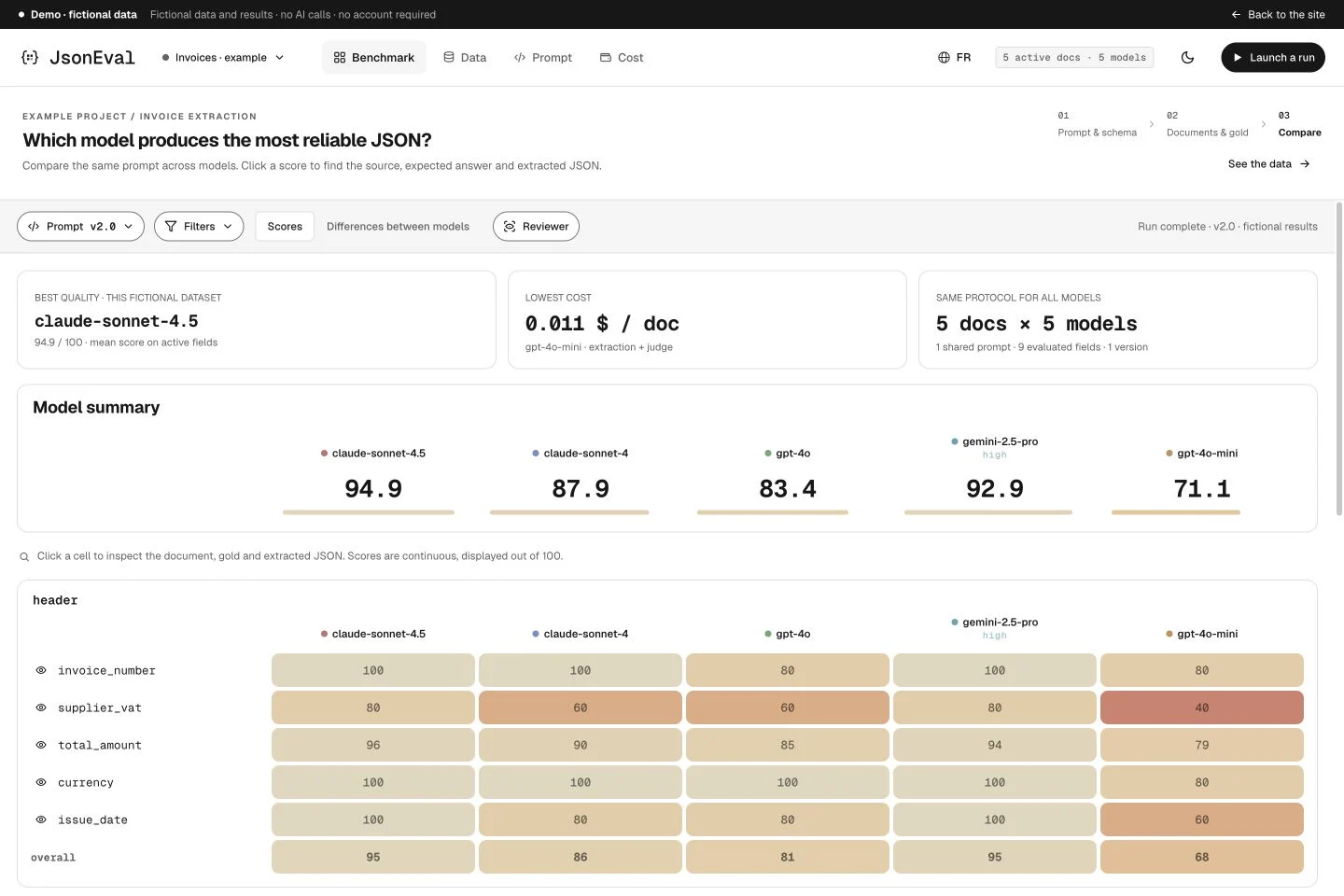 Explore a field-by-field comparison in the demo. Fictional data.Open the demo
 Benchmark
Compare how you send documents, too.
Native PDFs or image pages, a selected provider: model variants enrich the comparison. Cost analytics become more precise.
- Variantes propres au workspace : pages PDF en images ou fournisseur choisi.
- Responses missing schema sections identified as retryable failures.
- Failed-call costs included; historical estimates labelled.
- Rescoring also includes models hidden from the comparison.
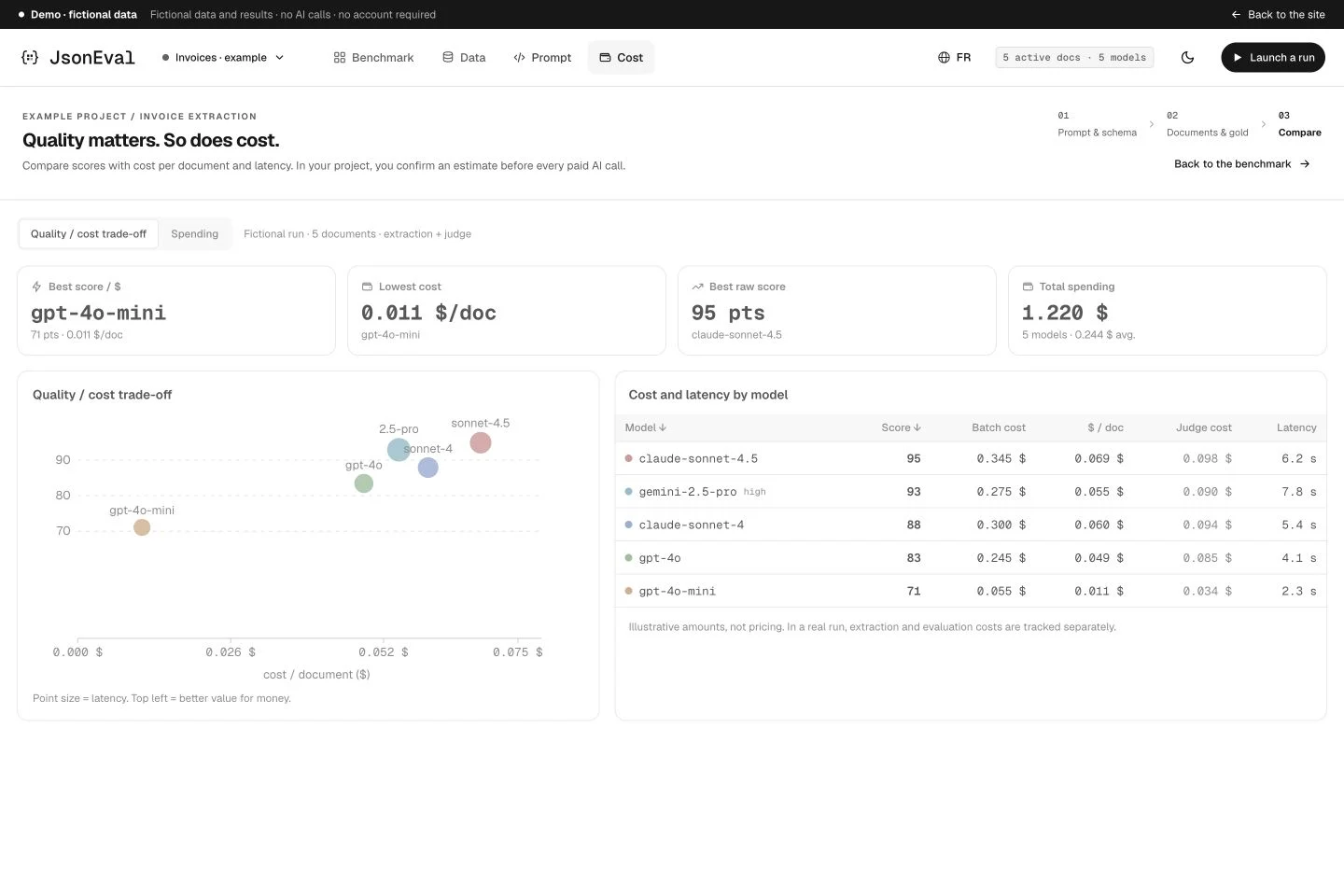 The Cost view helps read the quality / cost trade-off. Fictional data.Open the demo
 Data
Fewer clicks to improve your references.
Find values in documents and correct repeated ones in the Reviewer. References remain at the heart of evaluation.
- Search text values in gold as well as document names.
- Bulk replacement of a value for the same field, after confirmation.
- Reviewer navigation by identity and parent-object preview.
- Fields removed from the schema hidden from review queues without deleting their history.
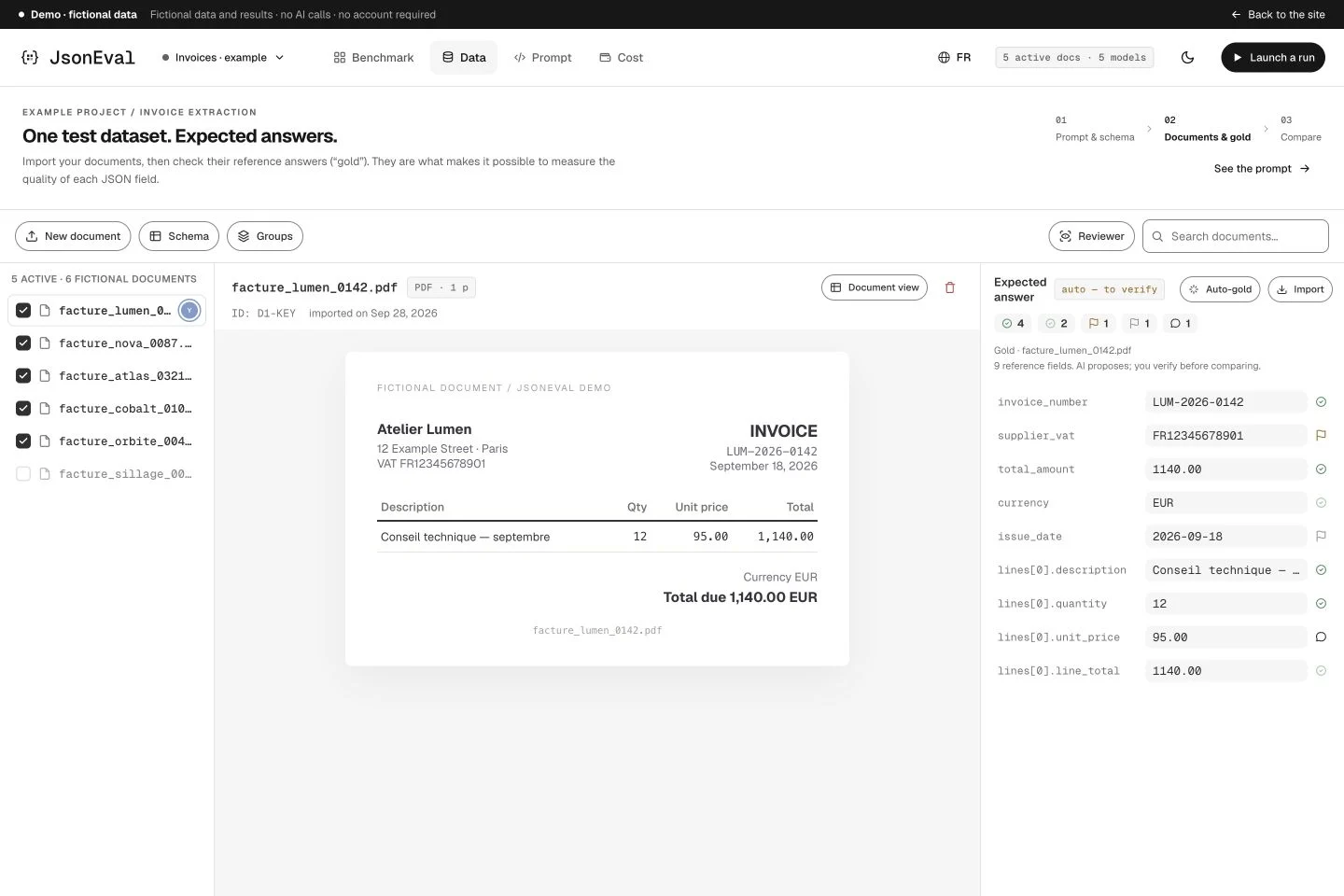 Read documents and expected answers side by side. Fictional data.Open the demo
 Review
Find the line behind an error.
The Reviewer can locate a line in a digital PDF or scan to help verify the expected value.
- PDF reading fits the panel width, with identifier-based lookup.
- On-demand browser text recognition for scans.
- No highlighting when the line cannot be identified precisely enough.
Illustration: the current demo. PDF lookup is available in the application. Fictional data.Open the demo