Doc OCR (PDF, Img) → JSON
Compare AI models on the JSON extracted from your documents. Check values, dates and tables, whatever the document.
For example: contracts, invoices and delivery notes.
Compare AI OCRDocuments or text, compare models and prompts on your own data.
Measure field-level quality, cost and latency.
Remove API keys and secrets. You confirm the cost before any evaluation.
Compare AI models on the JSON extracted from your documents. Check values, dates and tables, whatever the document.
For example: contracts, invoices and delivery notes.
Compare AI OCREvaluate structured outputs from your text. Compare classification, intent detection or information extraction.
For example: classify emails, prioritize tickets or extract a customer reference.
Evaluate my textA guided flow to build an evaluation around your data.
Paste the prompt or cURL you already use to generate JSON. It becomes the starting point for your evaluation.
Add a sample of documents or text and the expected answers. Choose the fields that matter.
Choose your models, confirm the cost and compare the answers. Adjust your prompt and measure what changes.
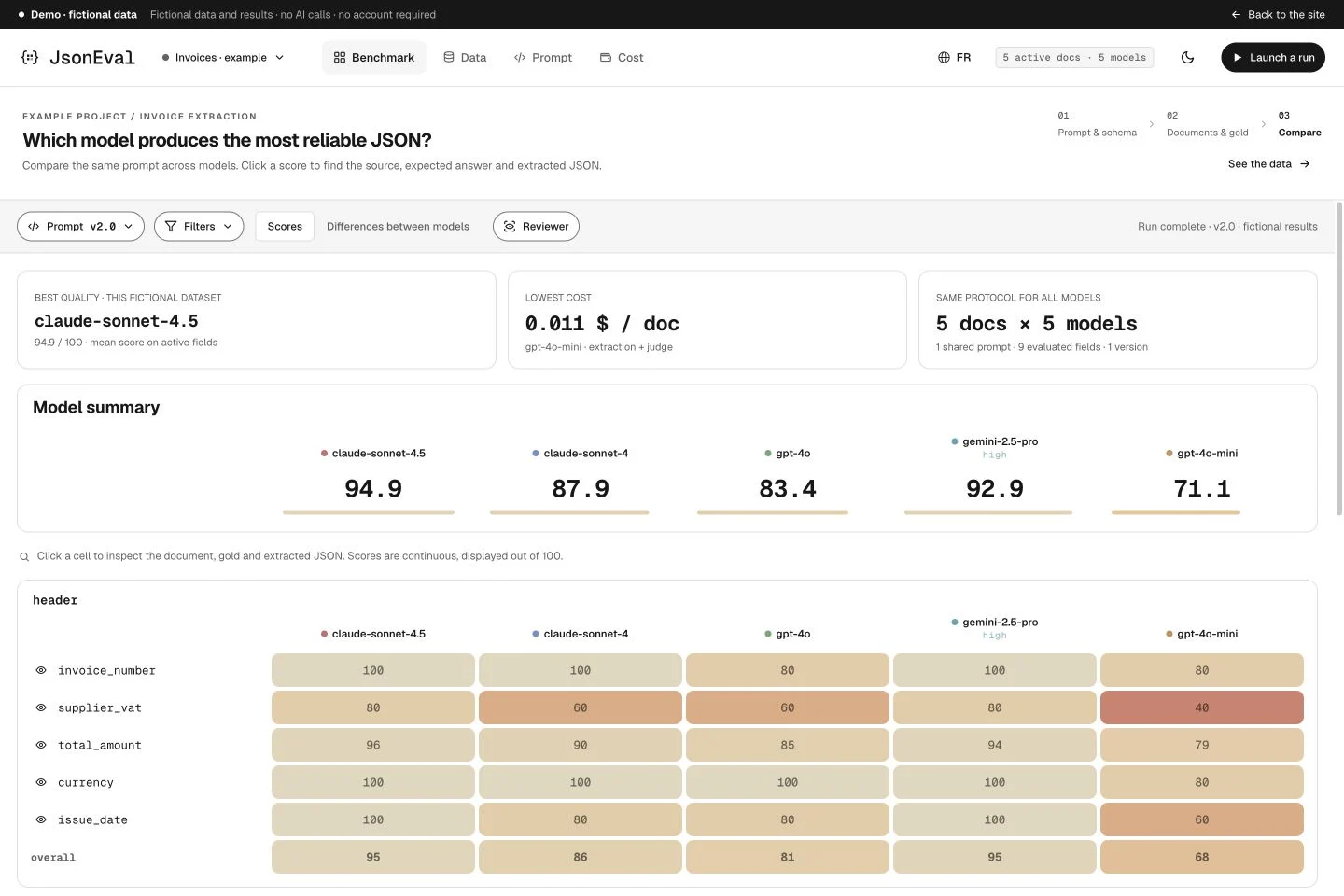
From the overall score to each JSON field: quality, cost and errors, all in one workbench.
Fictional illustrations and data. Scores do not represent any real model performance.
Compare models and prompt versions on the same data. Spot improvements and regressions, field by field.
Start with a JSON example. Define the fields to evaluate and the rules that matter, including objects and lists.
Go back to the source, prediction and expected answer. Understand differences and correct uncertain references.
Compare quality with cost and response time. Find the model that fits your use case.
Spot differences and go back to the source to understand them.
Pay for the AI used in your evaluations, plus a 20% JsonEval fee. Your price follows your usage.
Prepare my evaluationAI cost
+ 20%JsonEval fee
Illustrative example. AI costs depend on the models used and the volume of data evaluated.
Start on the web. Soon, access your evaluations from the tools you already use.
Prepare your datasets and compare results in one workbench.
Open the appRun and review evaluations from your terminal.
Give your assistant the context of your projects and results.
The JSON outputs of your AI models. Compare generated values with expected answers, field by field, on the same dataset. This lets you compare different models and prompt versions.
No. You can also evaluate JSON generated from text: email classification, support request routing, intent detection or information extraction. The principle stays the same: an input, an expected JSON output and several results to compare.
JSON can match your schema while containing a wrong date, an incorrect category or invented information. JsonEval compares its content with your references using a metric suited to each field.
No subscription: the cost of AI usage plus a 20% JsonEval fee. For example, €10 of AI usage totals €12. You confirm an estimate before running an evaluation.
The web app is the starting point. The CLI and plugins for ChatGPT, Claude, Cursor and OpenCode are being prepared for launch.
Paste your current prompt or cURL. Prepare an evaluation that answers your questions.